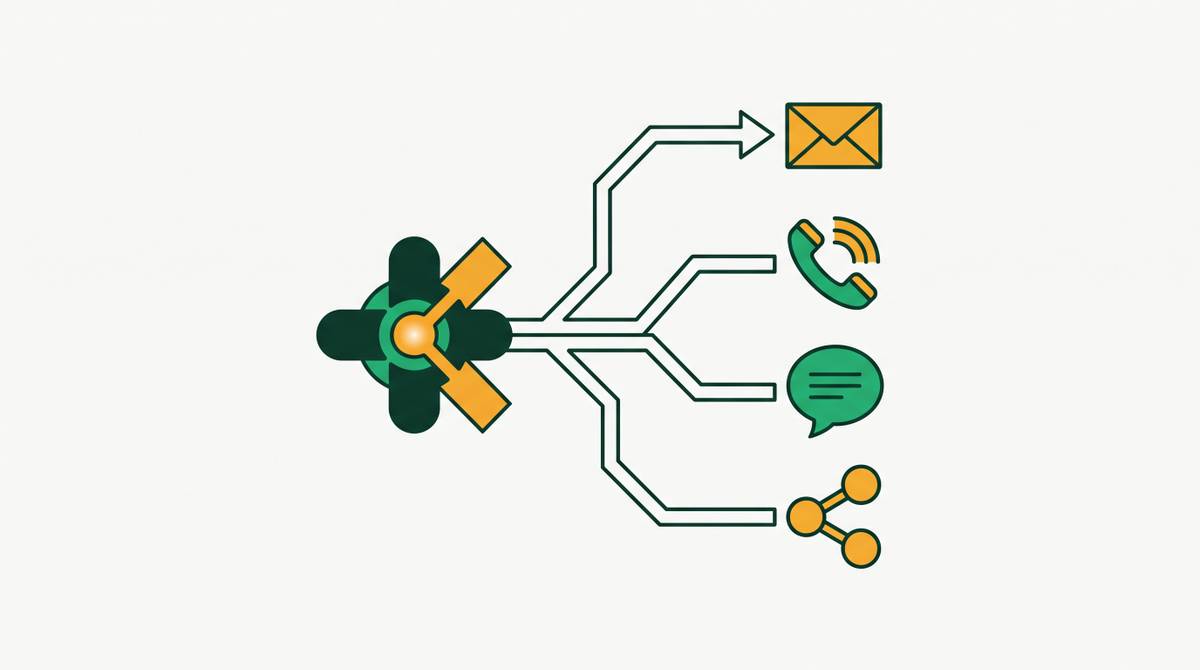
Sales Engagement Implementation Guide for Outbound Teams
How to set up a sales engagement platform so reps actually use it.
Buying a sales engagement platform is supposed to fix a specific problem: reps spending too much time on busywork and not enough time selling. That's the pitch, anyway. What actually happens, more often than not, is the tool gets bolted onto a stack that was already a mess, and now there's just one more tab open.
Reps already spend a shockingly small slice of their day on direct selling. Some of that lost time is starting to come back thanks to AI handling admin work, but the baseline is telling on its own. Most of the workday goes to logging activity, chasing down contact info, and figuring out who to call next, not talking to prospects.
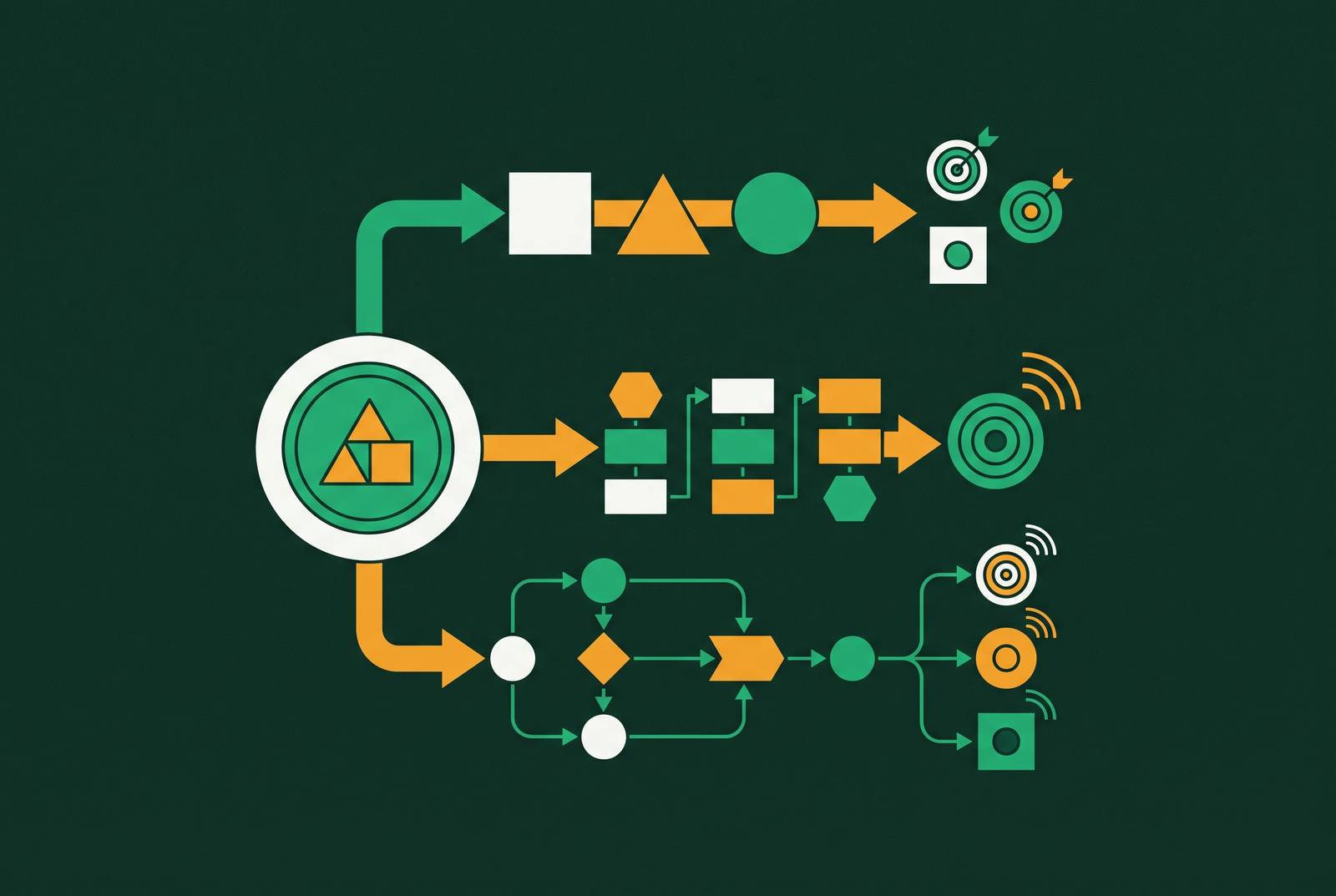
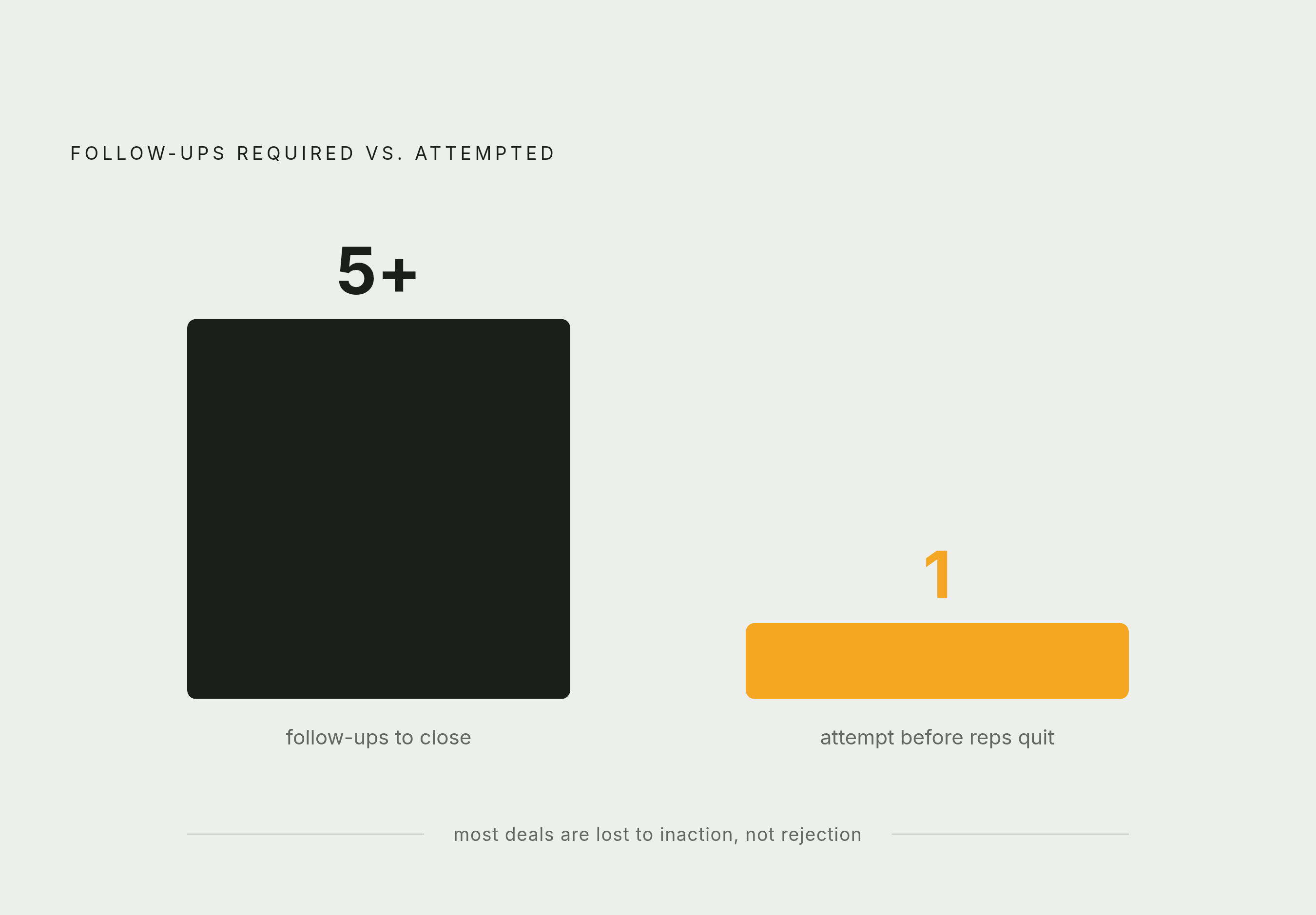
Call it the toggle tax. A typical outbound rep is working across a sequence tool, a separate dialer, an enrichment provider, maybe a coaching platform, and the CRM sitting underneath all of it. None of these talk to each other cleanly. So the rep becomes the integration layer, manually copying what happened in one tool into another. That's expensive in a very specific way: research consistently shows that the large majority of sales require five or more follow-ups to close, but a huge share of reps give up after just one attempt. That's not usually a motivation problem. It's a tracking problem. When the tools don't tell you who's due for a follow-up, the follow-up doesn't happen.
So the stall isn't really about the platform failing. It's about the platform inheriting a fragmented setup and not being given the chance to fix it.
What a sales engagement platform does and doesn't do
A sales engagement platform (SEP) sits on top of the CRM and handles execution: cadences, email templates, call logging, sequence automation. The CRM stays the system of record. The SEP is where the day-to-day motion happens.
Three things it should be doing well:
Logging automatically. Engagement activity, opens, replies, call outcomes, should flow back into the CRM without a rep typing it in by hand. Surfacing timing. A good SEP tells a rep who to contact and when, instead of leaving that judgment call to memory or a spreadsheet. Standardizing the workflow. When every rep runs cadences the same way, RevOps can actually measure what's working and fix what isn't.
What it doesn't do is replace the CRM, and it doesn't replace judgment. It's not a strategy tool. It's an execution layer. Confusing the two is where a lot of the disappointment starts: teams expect the platform to think for them, when its job is to make sure the thinking that already happened (who to target, what to say) gets carried out consistently.
Pre-launch decisions that determine whether implementation succeeds
Three decisions need to get made before anyone touches the platform itself.
CRM architecture. Pick the single source of truth, usually Salesforce or HubSpot, and decide how the SEP will sync to it: real-time and bidirectional, or batch updates overnight. This decision shapes everything downstream, so it can't be an afterthought.
Channel scope. Which channels will the team actually run at launch? Email, phone, LinkedIn, SMS? Trying to launch all of them on day one, before templates and workflows are ready, is one of the most common ways implementations go sideways. Pick fewer channels. Getting them right matters more than launching many at once.
ICP and territory ownership. Which reps own which segments, and is the contact data clean enough to sequence against before it gets imported? Whether reps own clean segments before contact data is imported affects how quickly reps can start sequencing accurately.
Dirty data doesn't stay contained. Import a list full of duplicates and bad emails, and the platform will happily create duplicate records, break sync, and generate tasks for contacts that don't need them. The platform doesn't fix data quality, it just multiplies whatever quality is already there.
Deliverability infrastructure also has to be in place before the first sequence fires, not after:
Domain warming. New or cold domains need a ramp-up period before they can handle full send volume. Inbox rotation. Spreading volume across multiple sending addresses protects domain reputation. DKIM, DMARC, and SPF authentication. These aren't optional extras. Without them, email fails to land in the inbox.
One more decision, often skipped: governance. Who owns sequence templates, centralized RevOps or individual reps? Who's allowed to build new cadences? What's the approval process? Sort this out before launch. Sort it out after, and template sprawl and inconsistent messaging show up fast.
CRM integration: how to configure sync so engagement data doesn't get stranded
A rep builds a sequence in the SEP, logs a call somewhere else, updates the CRM by hand, and now RevOps has no clean record of what actually drove the deal forward. The context gets lost in the gaps between tools.
The fix starts with understanding that one-way sync only writes to the CRM, while bidirectional sync both writes to and reads from it.
One-way sync means the SEP writes to the CRM but doesn't read from it. Update a contact's title in the CRM, and the sequence running against them has no idea. That mismatch creates ghost tasks and personalization that's already out of date.
Bidirectional, real-time sync means changes flow both directions. A field update, a deal stage change, a reassigned owner in the CRM, all of it immediately affects how the sequence behaves in the SEP.
Before any sequence goes live, these need to sync automatically, not manually:
- Email sends, opens, clicks, and replies, into the CRM activity log
- Call outcomes and dispositions, into the CRM activity log
- Sequence enrollment and exit status, onto the CRM contact or lead record
- Meeting bookings, onto the CRM opportunity or contact
- Contact field updates (a new title, a company change), into sequence personalization
One more decision that gets skipped more often than it should: object mapping. In Salesforce specifically, decide upfront whether outbound sequences run against Leads or against Contacts and Accounts. Mixing the two creates duplicate records and reporting gaps that are painful to untangle later.
Building cadences that match outbound reality, structure, timing, and channel mix
Cold email reply rates dropped to 3.43% in 2026, while the top quartile of senders held above 5.5%. That gap is exactly where cadence design lives. Average and top-quartile performance aren't separated by a better product or a smarter pitch, but by a better-built sequence.
A typical B2B outbound cadence spans several weeks with a meaningful number of touchpoints spread across channels. Too few touches leaves pipeline on the table, while too many creates diminishing returns and deliverability risk.
Timing matters as much as count. Front-load the opening days with activity across channels: LinkedIn, email, and phone in close succession. Then space the remaining touches out over the following weeks.
Rather than running every contact through the same cadence, build three tiers at launch:
Tier 1. Top-50 ICP accounts with a strong signal stack. A longer, higher-touch multichannel cadence, with the first email written by hand, not generated. Tier 2. ICP accounts showing one or two active signals. A mid-length, moderate-touch cadence, using AI-generated references to those signals. Tier 3. Broad ICP matches without much signal behind them. A shorter, lighter email-only cadence, with opening lines tied to whatever signal is available.
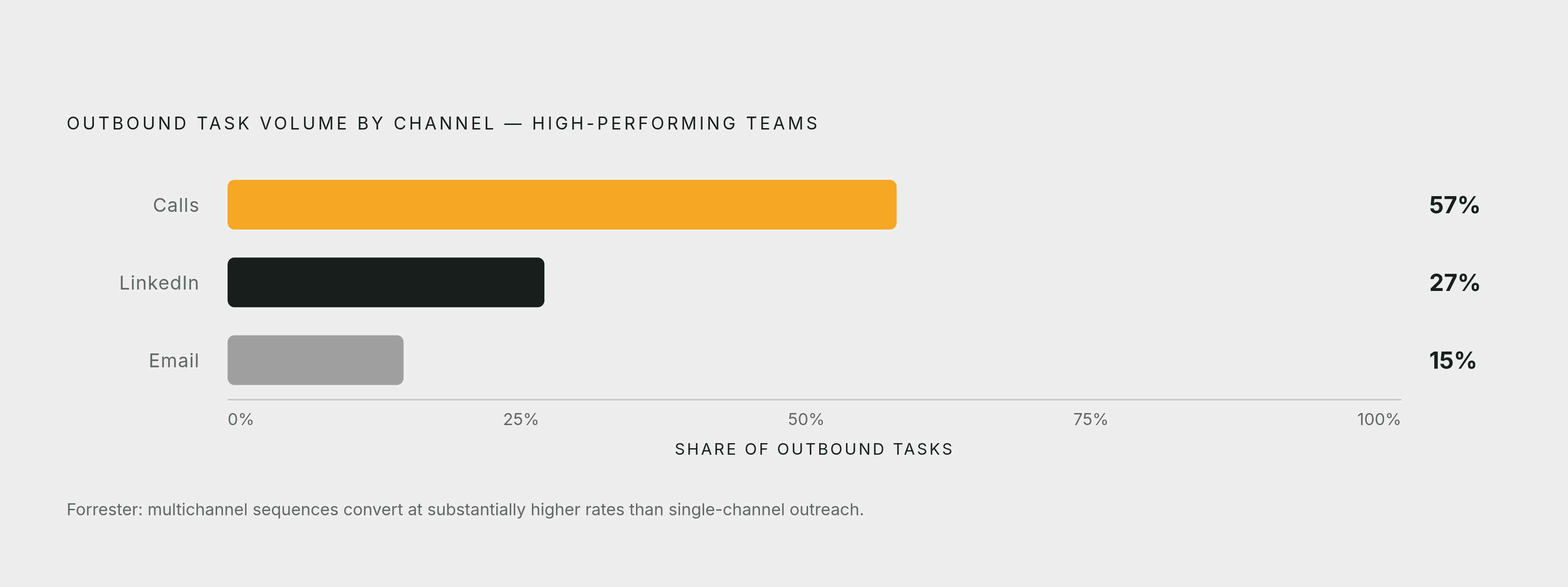
On channel mix: calls account for 57% of outbound tasks at leading teams, followed by LinkedIn at 27% and email at 15%. But no single channel wins on its own. Forrester found that sequences combining multiple channels convert at a substantially higher rate than single-channel outreach. The lesson isn't "call more" or "email more." It's "don't rely on just one."
Signal-based triggers: moving sequences from calendar-driven to event-driven
A signal is any event that suggests a prospect has an active need right now: a job change, a funding announcement, a new tool in the tech stack, a hiring spree, a visit to the company's website. The value of a signal fades fast. Reaching out while it's fresh is what makes the outreach feel relevant instead of random.
The performance difference is significant. Outreach tied to a specific signal, like a new hire or a funding round, gets reply rates several times higher than generic, template-based campaigns. Broadly, signal-based workflows outperform generic cadences by 3x to 5x on reply rate.
Setting this up inside the platform involves a few concrete steps:
- Connect an intent data or enrichment provider (ZoomInfo, Apollo, Clay) so signals feed directly into sequence enrollment logic.
- Build enrollment rules: when a contact triggers a defined signal (say, their company posts a new VP of Sales opening), they get automatically dropped into the right cadence tier.
- Build exit rules too. If a contact goes quiet through every touchpoint and no new signal appears, let them exit the sequence instead of recycling them back through the same cadence.
Freshness is the whole point. A funding announcement from two weeks ago carries a lot less weight than one from yesterday. Signal sources need to refresh often, and enrollment needs to fire within hours of a signal appearing, not days later.
Layering AI into the workflow without adding new overhead
AI has a real, specific job in a well-built outbound stack, and where that job starts and stops needs to be precise.
What AI handles well: first-draft email personalization, send-time optimization, prioritizing which sequence step to run next, synthesizing research on a prospect, transcribing and logging calls.
What still needs a person: messaging strategy, tone, complex objection handling, anything relationship-sensitive.
Adoption is already high. More than half of sellers report having used AI agents, and the expected payoff is a meaningful cut in time spent drafting emails. But that gain only shows up when the AI has the right context to work with, meaning CRM data, deal stage, prior engagement history. Without that, AI-generated copy defaults to generic filler that reads like it was written for nobody in particular.
High-performing teams are notably more likely to use AI-powered prospecting agents than teams that are underperforming, but the AI itself isn't the differentiator. How well it's plugged into the existing workflow is what separates the results.
A few configuration steps make the difference:
- Connect the AI layer to the CRM fields it actually needs, company name, deal stage, last activity, persona. If this step is skipped, the output stays generic no matter how good the model is.
- Train it on approved messaging. Feed it real examples of templates and calls that have worked, so its output matches the team's actual tone and positioning instead of a default voice.
- Put a human review gate on Tier 1 touches. AI drafts the message, a rep reviews and edits before it goes out. The real gain comes not from the AI working alone, but from the AI plus a human review layer working together.
Platform options to evaluate before or alongside implementation planning
The right platform depends on the CRM architecture, channel scope, and team size decided earlier, not on a feature comparison chart. Work through those first, then use this list as a starting point.
Nooks is an AI-native platform that combines AI Sequencing, an AI Dialer, Signals and Intelligence, and AI Coaching into a single system. It's built CRM-first, with real-time bidirectional sync to Salesforce and HubSpot. It fits teams that want sequencing, dialing, prospecting, and coaching in one place instead of stitching four tools together.
Outreach offers mature, task-driven sequencing with deep workflow controls. In 2026 it consolidated its pricing into four Amplify tiers and added Agent Studio along with an MCP Server capable of direct actions. It pairs sequencing with deal management, pipeline management, coaching, and forecasting. Based on purchase data from Vendr covering 908 deals, list pricing runs $100 to $200-plus per seat, with negotiated deals landing between $80 and $170 and a median annual contract around $45,540. It suits teams with dedicated RevOps support who want structured, configurable workflows.
Salesloft pairs cadence management with Clari's revenue intelligence, connecting sequencing directly to deal pipeline and forecasting. It's a fit for organizations that want engagement data feeding straight into revenue forecasting. Pricing isn't publicly disclosed.
Apollo.io bundles a built-in B2B contact database with outreach automation and sequencing. There's a free tier, and paid plans start at $49 a month. It works well for early-stage teams that need prospecting data and sequencing together without paying for a separate enrichment tool.
HubSpot Sales Hub builds sequencing and calling natively into the HubSpot CRM, including a power dialer, voicemail drop, and sequence automation that logs straight to the CRM record.