Field Sales Engagement Apps for Outside Reps
Teams lose hours weekly to admin work that field reps could spend actually selling.

Field reps spend about 30% of their week actually selling. Salesforce's State of Sales research put that number at roughly one-third back in 2024. HubSpot's version of the same math comes out to about two hours a day. Either way you slice it, most of a rep's job isn't the job.
SPOTIO's 2026 State of Field Sales report gets more specific about where the rest of the week goes: 18 to 25% of a rep's work week disappears into admin and manual data entry. That's 7 to 10 hours per rep, every week, spent on things that aren't talking to customers. Planning routes by hand. Catching up on CRM entries after a visit. Writing follow-up emails from the front seat of a car. Filling out paperwork between stops.
That waste costs more than it looks like on paper. An outside sales visit runs somewhere between $215 and $400 once you count travel time, gas, and the rep's hourly cost, compared to about $50 for a call made from a desk. So when a field rep loses hours to logging and route-guessing instead of selling, the company is paying premium prices for time that never touches a customer.
And field selling isn't going anywhere. In complex deals, 87% of salespeople still say in-person contact matters. The work is expensive, it's inefficient, and it's also not optional. Which is exactly why the inefficiency is worth fixing rather than shrugging off.
The instinct, once a team notices the problem, is to buy more software. That instinct backfires more often than it helps. Teams juggling five or more disconnected tools have higher turnover, and research links high-turnover teams with running five-plus disconnected systems in the first place. Stacking apps doesn't fix fragmentation. It multiplies it.
So the real question isn't "what tool should we buy." It's: which specific friction point in a rep's day needs fixing, and which category of tool actually fixes that one thing without adding three new logins to remember?
Why standard CRMs don't solve field-specific problems
A CRM is built as a system of record. That means it assumes the person using it has a few quiet minutes to sit down, think clearly, and log details carefully. That's a fair assumption for someone at a desk. It falls apart for someone standing in a parking lot between two appointments.
The numbers back this up. CRM failure rates across enterprise deployments run between 50 and 63%. And yet 91% of companies with more than 10 employees use one. That gap, high ownership, low success, is the adoption problem in a nutshell: buying the tool was never the hard part. Getting people to actually use it right is.
The cost of that gap isn't abstract. Validity's State of CRM Data Management (2025) found that 37% of organizations lose revenue directly because of poor CRM data quality. Bad data isn't a shrug-and-move-on problem. It shows up later as missed follow-ups, wrong forecasts, and deals nobody remembers to chase.
Here's the mechanism behind that failure. If logging a single visit takes five or ten minutes of tapping through form fields on a phone screen, reps stop doing it the "right" way. They build workarounds instead: a note in a phone app, a text to themselves, a voice memo they mean to transcribe later. None of that ever makes it back into the CRM. The system of record stops being a record of anything.
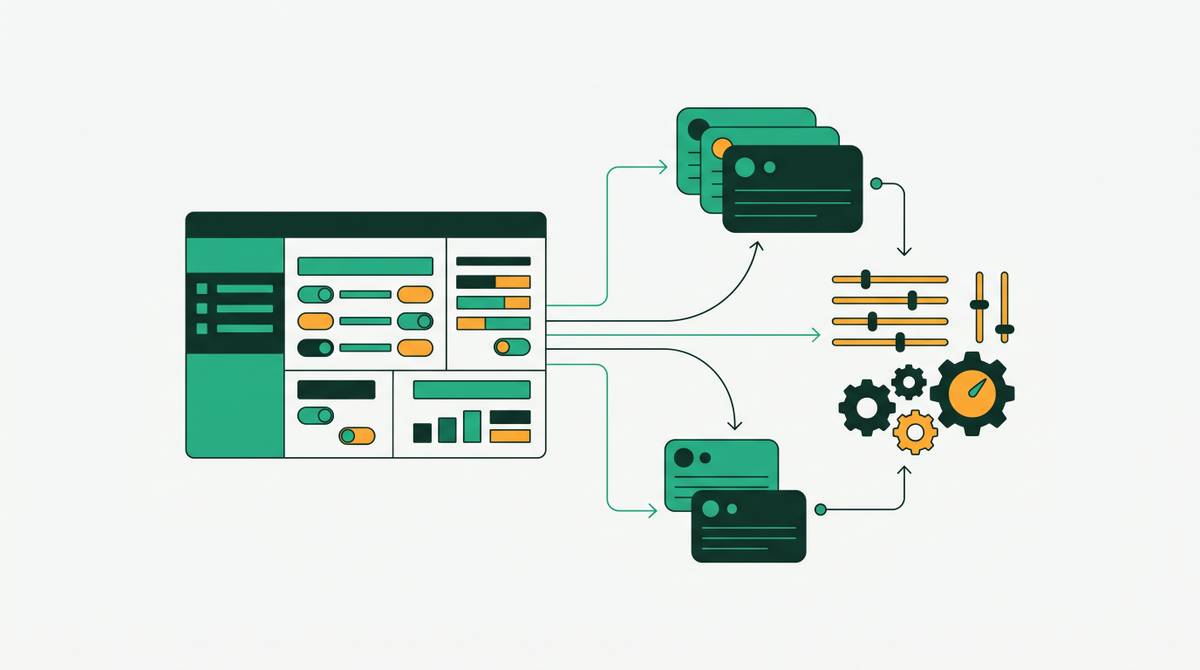
What field reps actually need is different from what most CRMs offer out of the box: offline access for dead zones, GPS-verified check-ins so a visit is proven without a manual note, route optimization built into the same screen, and logging that takes one tap instead of ten.
There's a real difference between a tool that happens to have a mobile app and a tool built for how field reps actually move through a day. A ported desktop workflow on a smaller screen still asks a rep to stop, think, and type. A tool built for the field handles territory assignment, plans the drive, and confirms location automatically. Once that distinction is clear, the next step is figuring out which category of field tool actually addresses which problem.
The four distinct use cases field sales apps actually cover
Field sales software splits into four jobs. Most teams don't need all four equally; the trick is figuring out which one is actually costing time.
Route planning and territory management covers route optimization that factors in traffic, weather, and how appointments cluster geographically to cut drive time. It also covers territory mapping (assigning ground by geography, workload, or rep skill) and finding new prospects right on the map, filtered by attributes, without leaving the routing screen.
CRM integration and activity logging is the fix for the five-minute form problem: visit notes and check-ins that sync automatically to the system of record, GPS-verified check-ins so a manager doesn't need to wait for an end-of-day report, and logging designed to take seconds instead of minutes.
Communication and follow-up covers multi-step sequences a rep can enroll a prospect into from the field. AI-drafted replies and texts the rep reviews before sending, a co-pilot, not something that sends on its own. AI-assisted prep before a meeting: account summaries and prospect details pulled together automatically instead of dug up by hand.
Analytics, deal tracking, and manager visibility. Predictive flags for accounts likely to reorder or at risk of leaving, without a rep having to run a report. Real-time dashboards showing rep location and pipeline. And performance benchmarking: high-performing reps average 73% higher quarterly revenue growth than low performers, and visibility into daily activity patterns is one of the few real levers a manager has to close that gap.
Voice and hands-free data capture stand out separately. It cuts across the logging and communication categories, and it matters because it removes the biggest source of friction between stops, having to stop at all.
Route planning and territory tools: what to evaluate and who they fit
Badger Maps is built around optimizing routes for reps visiting existing named accounts. It fits solo reps or small B2B field teams (roughly 1 to 10 people) who mostly work accounts they already have and just need a smarter way to plan the drive. Pricing runs $49 a month per user on the Business plan and $95 on Enterprise, billed annually. It holds a 4.6 out of 5 rating there across 204 reviews. Badger Maps' own data claims reps using the tool drive 20% less and sell 22% more.
The core plans are light on built-in AI. The core plans are noted to be light on built-in AI capabilities, which is a real consideration for a team shopping in 2026. For a team shopping in 2026, that's a real consideration, not a footnote. On the plus side, it does sync visit notes to the CRM automatically, so reps have account context on hand while they're standing in front of a customer.
Salesforce Maps is the pick for organizations that live entirely inside Salesforce. It layers CRM data onto a map for territory planning, lead visualization, and route building, all inside the Salesforce environment. It starts at $75 a user per month, billed annually, and holds a 4.3 on G2. The tradeoff is a steep learning curve, and it's overkill for any team not already fully built around Salesforce.
Google Maps is the free, familiar option. It handles up to 10 stops, gives turn-by-turn directions, and factors in real-time traffic, with a 4.5 rating on G2. It's a fine lightweight supplement. It is not a sales tool: no CRM sync, no check-ins, no account data attached to any stop.
The question to ask before choosing among these: is drive time on existing accounts the whole problem, or does the team also need territory management and prospect discovery layered in? That answer is what separates a routing tool like Badger Maps from a fuller field execution platform.
Full field execution platforms: tools that cover territory through closing
SPOTIO is built for outside sales end to end: territory maps, one-tap activity logging, route planning, gamification, multi-step follow-up sequences (called AutoPlays), and an AI co-pilot called DASH that answers product questions, drafts emails and texts for a rep to review, and summarizes recent account activity. Its Lead Machine feature lets a rep filter prospects by 15 data points, income, home value, square footage, and other property details, directly on the map inside their assigned territory. Every logged activity carries a GPS coordinate, so managers see field activity live instead of waiting on an end-of-day summary.
SPOTIO is well established in solar, roofing, pest control, home services, and B2B distribution. Pricing is published at $59 a user per month for the Team plan and $75 for Pro. On G2 it holds a 4.5 out of 5 across 399 buyer reviews and picked up G2's Highest User Adoption badge in the small business category for 2026. Its Google Play rating from actual reps sits at just 2.2 out of 5 across 278 reviews, a real gap between how buyers and managers rate the platform and how the people using it in the field day to day seem to feel about it. Per-user pricing is manageable at small scale but adds up fast with a large team, and it works best where headcount is stable. High turnover or a lot of contractor use makes the math less friendly. Lobel Financial reported a 21% increase in activated customers within eight months of adopting the platform. SPOTIO syncs both ways with Salesforce natively, and connects to HubSpot and Pipedrive through Zapier.
Leadbeam is built with AI at the center rather than bolted on. It aims to cover the full field sales lifecycle: prospecting, route optimization, meeting prep, capturing data after the meeting, and automating follow-up. It uses voice, image, and location data to log visit details automatically without a rep typing anything in. Before a visit, it surfaces a quick-glance card with enriched prospect and firmographic details. After a visit, it generates context-aware follow-ups based on what was actually discussed. It carries SOC 2 Type II, ISO/IEC 27001:2022, and GDPR compliance, starts at $59 a user per month billed annually, and holds a 4.9 on G2, where it took the #1 spot for Momentum Leader, Ease of Use, and Enterprise Leader in Spring 2026.
RepMove pairs a mobile app (route optimization, note tracking) with a web platform giving managers live visibility into territory and pipeline. Review scores are consistently high across the board: 4.9 on G2, and strong ratings on other platforms as well. It fits reps who want a wide mobile toolkit without taking on the complexity of a full enterprise platform.
Nextstep runs alongside a rep's inbox, calls, and CRM rather than replacing any of them. It drafts replies, logs updates, and books next steps automatically, and connects to Salesforce, HubSpot, and other existing tools. It aims to keep its output relevant to the deal at hand. It's the strongest fit for reps whose real problem is what happens after the visit: getting notes written, follow-ups sent, and the CRM updated before the details of the conversation fade.
Vertical and specialized tools for canvassing, CPG, and industry-specific motions
SalesRabbit was built specifically for residential canvassing and is the category leader for solar, home security, roofing, pest control, and HVAC teams that knock doors for a living. It covers digital canvassing, lead tracking, and route planning together. Pricing is published at $59 a month for the Team plan and $75 for Pro, and it holds a 4.2 rating on Capterra from 191 reviews. Contracts run their full term with no self-cancellation, and accounts stay active for the entire term unless billing is emailed at least 30 days before the term ends.
Repsly is built for Consumer Packaged Goods and retail service teams managing in-store execution, promotional compliance, and shelf presence. It offers customizable forms for in-store data, GPS-verified check-ins, task management, barcode scanning, and photo capture, with offline capability built in for spotty in-store connectivity. It isn't a general sales platform. It's narrow by design, strong for CPG, and a poor match for B2B territory sales or door-to-door canvassing.
Ecanvasser offers real-time tracking, route planning, customizable interaction logs, and a "verified drops" feature for accountability. One customer, Truespeed, pointed to its unlimited license model as a specific advantage when bringing on new reps after a merger, a different cost structure than the per-user pricing common elsewhere in this list. It shows up in broadband and recycling, industries with service territories where over-knocking and visit timing are a real operational concern. Its reporting includes hourly visit-rate tracking and rep-to-rep comparison.
SimplyDepo is built for CPG brands and distributors, drawing on a founder background in beverage brand building (GNGR Labs) to shape its order capture and field workflow. It covers smart routing, geo-tracking, visit check-ins, order capture, and real-time updates, with fast syncing and offline access treated as baseline requirements rather than selling points.
The bigger lesson across all four: vertical fit beats feature count. A canvassing team looking at Repsly, or a CPG team looking at SalesRabbit, is comparing the wrong things. The selling motion itself should decide the category long before any feature list gets compared.
How to match a tool to the actual friction point in your team's day
Start with the actual bottleneck. Not the feature list, the bottleneck.
Drive time and missed accounts? Route optimization and territory tools come first: Badger Maps, SPOTIO, Leadbeam, or Salesforce Maps, depending on team size and whether Salesforce is already the backbone. Logging dropout, notes that never make it into the CRM? Look at built-in activity logging and GPS-verified check-ins, the kind SPOTIO, Leadbeam, and RepMove all offer natively, rather than trying to force a general CRM's mobile app to do a job it wasn't built for. Follow-up falling through the cracks after a visit? Multi-step sequences and AI-assisted drafting, reviewed by the rep before anything sends, address that directly. SPOTIO's AutoPlays and similar follow-up automation tools aim at this specific gap. Managers flying blind on what's actually happening in the field? Real-time location and pipeline dashboards close that loop without adding another end-of-day report to a rep's list.
None of this needs to end in five new subscriptions. The SPOTIO research on tool-stacking and turnover is a warning worth taking seriously: more software isn't the same as more efficiency, and a team that picks one tool for its one real problem will likely outperform a team that bought every category "just in case."
The better question isn't which platform has the longest feature list. It's simpler than that: what is actually costing reps hours this week, and which one tool fixes that specific thing without asking anyone to learn a sixth login.